🏆 Expert Verdict & Overview
EasyCut - Video Editor & Maker enters the competitive Video Players & Editors landscape as a versatile, all-in-one content creation hub. Positioned as a direct alternative to industry giants like CapCut and InShot, it distinguishes itself by offering a unified suite that blends video editing, photo retouching, and collage making. From an analyst's perspective, EasyCut targets the "mobile-first" creator who requires high-speed output without the steep learning curve of professional desktop software. Its emphasis on a free, unrestricted user experience—offering unlimited exports and video lengths—makes it a highly disruptive entry in a market often gatekept by subscription models.
🔍 Key Features Breakdown
- Streamlined Video Trimming & Merging: Solves the complexity of mobile editing by providing intuitive drag-and-drop controls, allowing both novices and pros to arrange clips with precision.
- Integrated Photo & Collage Editor: Eliminates app-switching fatigue by allowing users to create thumbnails, profile pictures, and grid layouts within the same ecosystem.
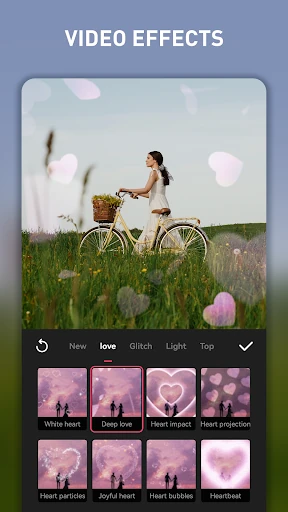
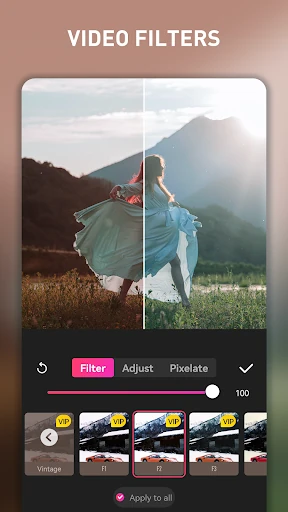
- Trending Asset Library: Provides a curated selection of Instagram-ready filters, transitions, and animated graphics, solving the "creative block" for creators needing immediate aesthetic appeal.
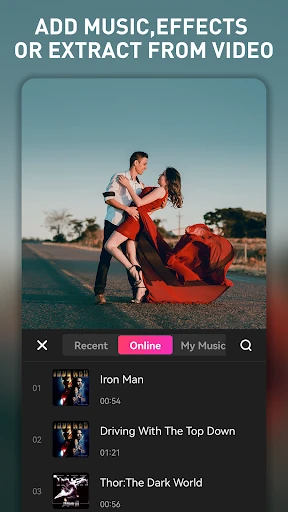
- Built-in Music & Audio Extraction: Simplifies the legal and technical hurdles of soundtracks by offering a massive internal library and the ability to rip audio directly from existing video files.
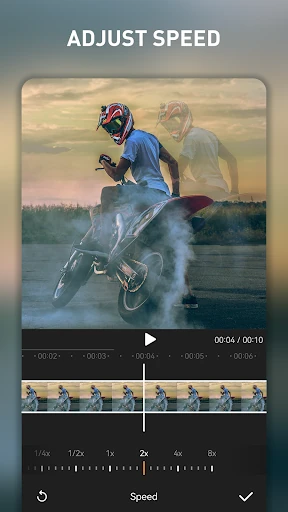
- Smart Compression & Speed Control: Addresses storage constraints by shrinking large files while offering creative pacing tools like slo-mo and time-lapse for dramatic storytelling.
🎨 User Experience & Design
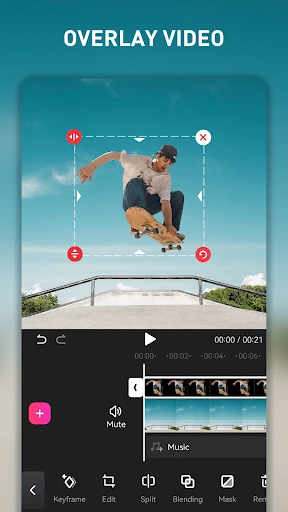
The UI of EasyCut is built on a logic of efficiency and discoverability. By adhering to the standardized timeline editing format expected in the Video Players & Editors category, it ensures immediate familiarity for users transitioning from other platforms. The design minimizes "tap-depth," meaning most essential tools like filters, text, and music are accessible within one or two clicks. The responsive feedback during drag-and-drop operations provides a tactile sense of control, which is crucial for precision editing on smaller smartphone screens. Overall, the UX successfully balances a dense feature set with a clean, uncluttered workspace.
⚖️ Pros & Cons Analysis
- ✅ The Good: Exceptional value proposition with no limits on export quantity or video duration, removing common barriers for long-form creators.
- ✅ The Good: A truly comprehensive "Swiss Army Knife" approach that covers video, photo, and collage needs in a single lightweight package.
- ❌ The Bad: While excellent for social media, it may lack advanced features like multi-track layering or complex keyframe animation found in high-end suites.
- ❌ The Bad: Heavy reliance on built-in templates can sometimes lead to a "cookie-cutter" look if the user doesn't utilize the deeper customization tools.
🛠️ Room for Improvement
To truly dominate the mobile editing space, EasyCut should consider implementing AI-driven automation, such as "Auto-Beat Sync" for music or automatic subtitle generation. Additionally, adding basic noise reduction tools for audio would greatly benefit vlogging enthusiasts who record in noisy outdoor environments. Expanding the "Photo to Video" template library would also help capture the growing trend of automated slideshow creation seen on platforms like TikTok.
🏁 Final Conclusion & Recommendation
EasyCut - Video Editor & Maker is an ideal solution for social media managers, aspiring YouTubers, and casual users who need to produce high-quality visual content on the fly. It effectively democratizes professional-looking video production by removing the financial and technical hurdles typically associated with the craft. For anyone seeking a robust, cost-free alternative to mainstream editors, EasyCut is a highly recommended addition to your creative toolkit.