Advertisement
Click to download now, finish the installation quickly, and directly unlock the "all-round experience"
Advertisement
Screenshots
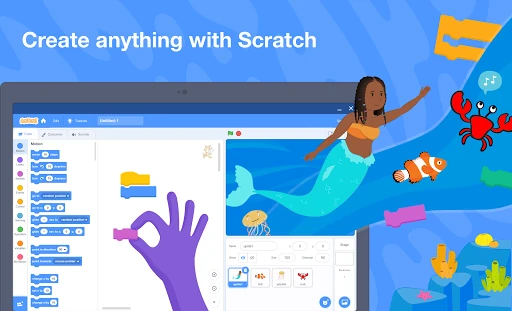
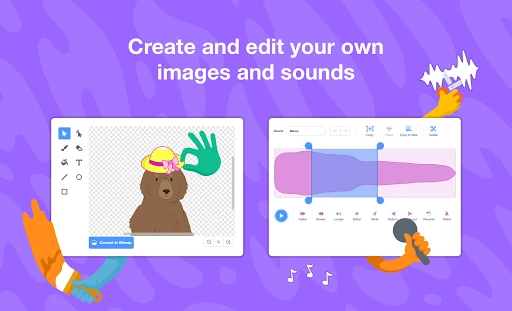
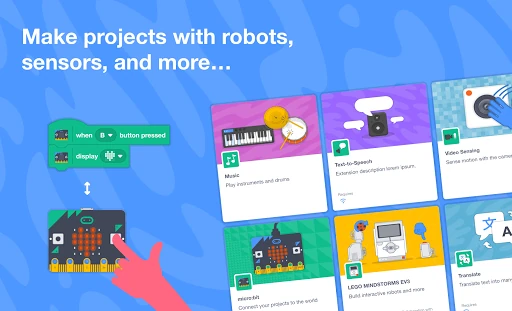
Click to download now, finish the installation quickly, and directly unlock the "all-round experience"
Scratch stands as the gold standard in the educational technology landscape, offering a peerless introduction to computational thinking for young learners. Developed by the MIT Media Lab, this official app brings the world’s most popular block-based coding language to mobile environments. It effectively democratizes computer science by lowering the barrier to entry, allowing children to transition from passive consumers of technology to active creators of interactive stories and games. Within the Education category, Scratch is not just an app; it is a foundational ecosystem that bridges the gap between play and professional logic.
The interface is masterfully designed for its primary audience, prioritizing tactile interaction and visual hierarchy. By utilizing a drag-and-drop system, the UX minimizes the cognitive load associated with traditional programming. The UI is color-coded by function—such as blue for motion and purple for looks—which aids in rapid recognition and categorization. While the workspace is optimized for the larger real estate of tablets, the layout maintains a logical flow from the block palette to the scripting area and the live stage. It is an intuitive environment that encourages experimentation through immediate visual feedback.
To further enhance the mobile experience, the developers should consider implementing a more robust "Focus Mode" that maximizes the coding area by collapsing sidebars when not in use. Additionally, integrating the "Ideas" and tutorial videos directly into the offline package would significantly benefit users in remote areas. Finally, adding more granular touch-optimization for the "Paint" and "Sound Editor" tools would make the creative process more fluid on tablet screens without the need for a stylus.
Scratch is a mandatory installation for any educational tablet. It is primarily designed for children aged 8 to 16, but its logic-building capabilities are beneficial for absolute beginners of any age. Whether used in a structured classroom setting or for independent creative play at home, Scratch remains the most influential tool for fostering the next generation of digital creators. It is highly recommended for parents and educators who want to turn screen time into a productive, skill-building experience.