Advertisement
Click to download now, finish the installation quickly, and directly unlock the "all-round experience"
Advertisement
Screenshots
Click to download now, finish the installation quickly, and directly unlock the "all-round experience"
The DVB-T Driver stands as a critical piece of middleware within the Libraries & Demo landscape on Google Play. Unlike standalone consumer apps, this driver serves as a technical bridge, enabling Android devices to communicate with external USB TV tuners. It provides the essential low-level protocols required to decode DVB-T and DVB-T2 signals. For users looking to transform their mobile device into a portable television, this driver is not just an option—it is a functional necessity when paired with compatible software like Aerial TV. Its authoritative presence in the niche is backed by its open-source roots and extensive hardware support list, making it a gold standard for hardware-software interfacing in the mobile broadcasting space.
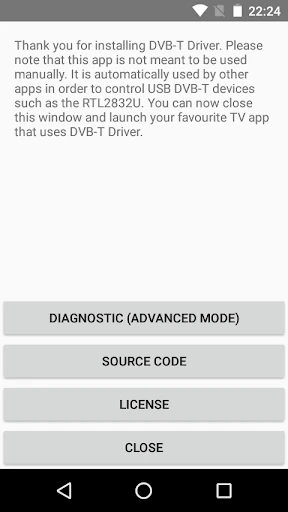
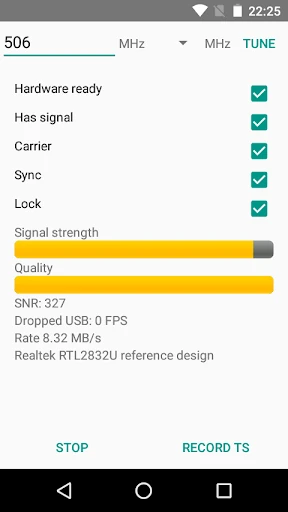
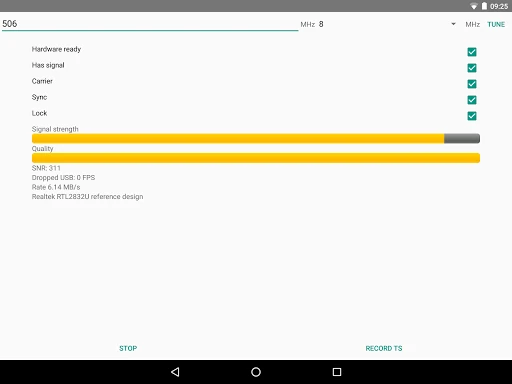
In the context of the Libraries & Demo category, the UI of the DVB-T Driver is appropriately minimalist. Because its primary function is to operate in the background as a service for other applications, users will find a utilitarian interface focused on connectivity and diagnostics rather than aesthetic flair. The setup process is straightforward: once installed, it handles the USB permission requests seamlessly when a tuner is plugged in. For its intended purpose, the "invisible" UX is a strength, as it minimizes overhead and stays out of the user's way while they interact with their primary TV player app.
To further enhance the utility of the DVB-T Driver, the implementation of an automated "Disk Cleanup" feature for the diagnostic directory would prevent storage bloat for advanced users. Additionally, expanding the API or documentation to encourage more third-party TV player apps to integrate with the driver would reduce the current dependency on a single player application. Finally, an in-app "Device Compatibility Checker" could help users identify if their specific USB dongle is supported before they attempt to configure a full TV setup.
The DVB-T Driver is an indispensable utility for SDR (Software Defined Radio) enthusiasts, mobile cord-cutters, and Android developers working with digital broadcasting. It effectively bridges the gap between raw USB hardware and the Android OS. While it requires a companion app like Aerial TV to function as a consumer product, its technical reliability and wide device support make it the premier choice for DVB-T2 reception on the go. If you own a supported USB tuner and wish to watch live TV on your Android device, this driver is a mandatory installation.