Advertisement
Click to download now, finish the installation quickly, and directly unlock the "all-round experience"
Advertisement
Screenshots
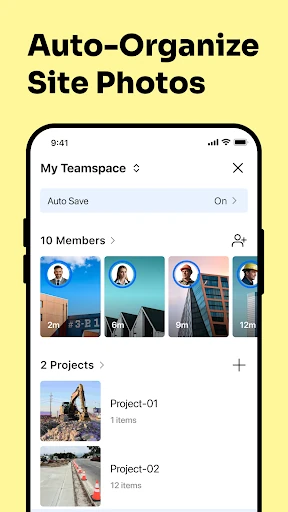
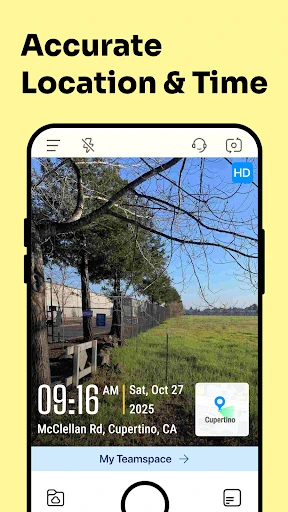
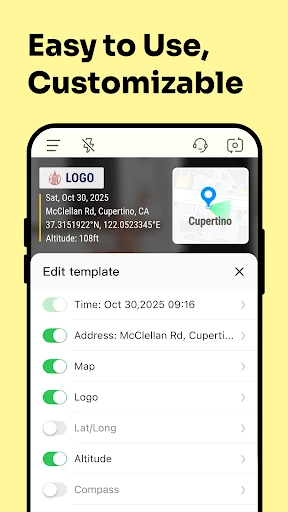

Click to download now, finish the installation quickly, and directly unlock the "all-round experience"
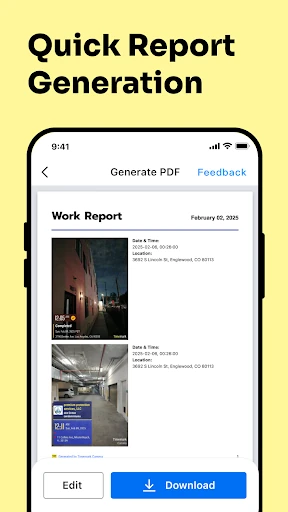
Timemark: Photo Proof establishes itself as a formidable utility within the professional photography landscape, specifically targeting the niche of timestamped verification and field documentation. Unlike standard camera apps focused on aesthetics, Timemark prioritizes data integrity and operational efficiency. It serves as a digital notary, embedding immutable metadata directly onto the visual record. By merging GPS coordinates, anti-tamper timestamps, and custom branding, it transforms a simple photograph into a legally and professionally viable document. It is a high-authority tool for industries where "proof of work" is the primary currency.
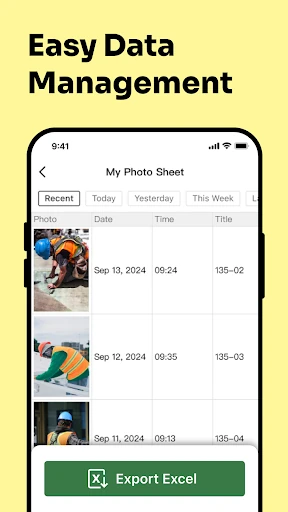
The UI/UX of Timemark is refreshingly pragmatic. Eschewing the complex filters and social-media-centric design of consumer cameras, the interface focuses on rapid deployment. The navigation is structured to minimize "time-to-capture," which is critical for field technicians and delivery drivers. The layout puts metadata controls at the forefront, allowing users to toggle map overlays or weather data with minimal taps. While the aesthetic is purely utilitarian, it adheres to high usability standards for professionals who may be using the app under harsh environmental conditions or with limited time.
To further solidify its lead, Timemark could benefit from an integrated API or webhook system to allow direct data injection into enterprise CRM or ERP platforms. Additionally, implementing an AI-driven "scene recognition" feature that automatically suggests the correct industry template based on the visual context (e.g., detecting a construction site vs. a retail shelf) would further reduce manual user input and increase field efficiency.
Timemark: Photo Proof is an essential tool for project managers, field technicians, delivery professionals, and business owners who require irrefutable evidence of their operations. It successfully shifts the mobile camera from a creative tool to a professional asset. If your workflow depends on accountability, transparency, and organized documentation, Timemark is the gold standard for the Android ecosystem.