🏆 Expert Verdict & Overview
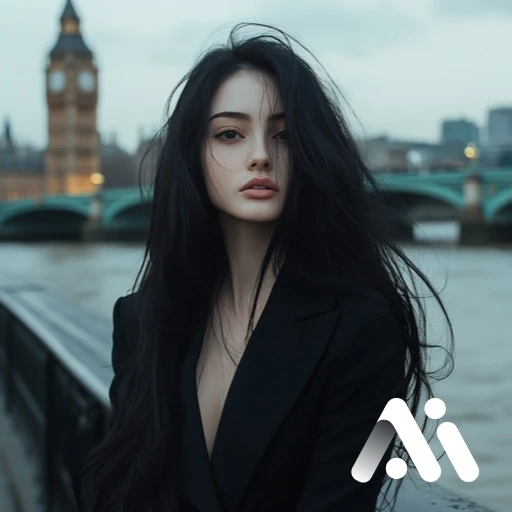
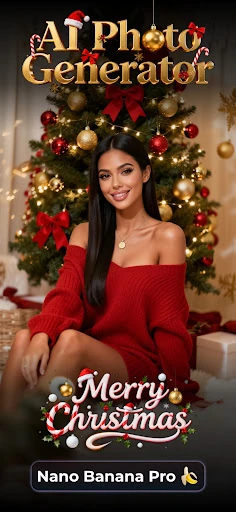
Insunny, marketed as AI Photo Generator & AI Video, represents a sophisticated leap in mobile image synthesis. By utilizing the Nano Banana Pro engine, it carves a unique niche in the Photography landscape by offering a hybrid experience: high-fidelity 4K static portraits and cinematic image-to-video transitions. As a Senior Analyst, I find its focus on "studio-quality" output particularly compelling, as it targets the growing demand for professional-grade digital identities without the traditional overhead of photography equipment or editing expertise.
🔍 Key Features Breakdown
- Nano Banana Pro (Gemini 3 Pro Image) Engine: This core technology solves the problem of "plastic" or artificial-looking AI art by delivering photorealistic skin textures and intelligent background fusion.
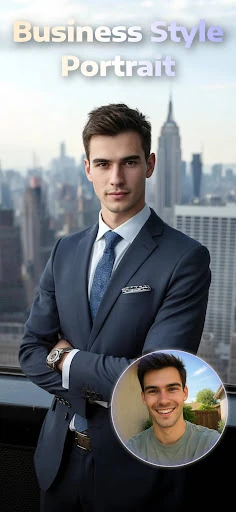
- Professional 4K Headshots: Solves the need for corporate-grade imagery by transforming casual selfies into LinkedIn-ready portraits with optimized lighting and composition.
- Cinematic Image-to-Video: Addresses the limitation of static media by adding motion and realism to portraits, allowing content creators to produce breathing, expressive video clips from a single frame.
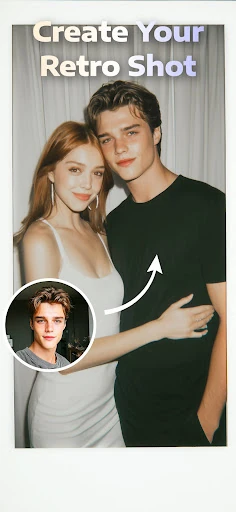
- Dual Portrait Magic: A specialized feature that handles two subjects simultaneously, solving a common AI struggle with multi-person spatial consistency for couples and friends.
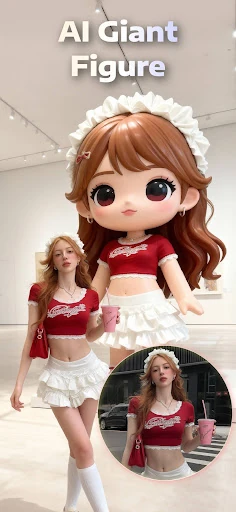
- Expansive Style Library: With themes ranging from "Cyberpunk" to "Old Money," it provides immediate creative direction for users who may lack specific artistic prompts.
🎨 User Experience & Design
The UI/UX of Insunny is designed with a "one-tap" philosophy, which is critical for high-retention apps in the Photography category. The interface minimizes friction by replacing complex prompt engineering with a highly visual, theme-based browsing system. Rendering is optimized for speed, providing the near-instant gratification that modern users expect. The layout effectively balances a massive library of styles without feeling cluttered, ensuring that the path from photo upload to 4K export is intuitive and streamlined.
⚖️ Pros & Cons Analysis
- ✅ The Good: Exceptional 4K output quality that maintains natural skin tones and sharp facial details.
- ✅ The Good: Innovative "Dual Portrait" support makes it a market leader for social and family-oriented AI photography.
- ❌ The Bad: The reliance on cloud-based AI rendering means a stable internet connection is mandatory for all features.
- ❌ The Bad: Creative flexibility is somewhat tethered to the available themes, which may limit users seeking highly specific, custom prompt-based generation.
🛠️ Room for Improvement
To further dominate the market, Insunny could benefit from granular manual editing tools—such as a "retouch brush"—that allow users to fix minor AI artifacts without regenerating the entire image. Additionally, adding the ability to export videos in multiple aspect ratios (9:16 vs 16:9) would significantly increase the app's utility for multi-platform content creators.
🏁 Final Conclusion & Recommendation
Insunny is a top-tier recommendation for professionals seeking affordable headshots, couples looking for artistic keepsakes, and creators needing high-impact social media content. It successfully bridges the gap between fun AI filters and professional photography tools. If you need a "pocket studio" that can turn a simple selfie into a 4K masterpiece or a cinematic clip, this app is an essential addition to your creative toolkit.