Advertisement
Click to download now, finish the installation quickly, and directly unlock the "all-round experience"
Advertisement
Screenshots
Click to download now, finish the installation quickly, and directly unlock the "all-round experience"
Speed Adviser emerges as a highly specialized safety utility designed specifically for the New South Wales road network. In a landscape dominated by feature-heavy giants like Google Maps and Waze, Speed Adviser carves out a niche by focusing exclusively on speed limit compliance and driver safety. It acts as an authoritative digital co-pilot, leveraging official speed zone data to provide real-time feedback. While its geographical limitation is a significant constraint, its precision regarding school zones and local regulations makes it an indispensable tool for motorists navigating the complexities of NSW traffic laws.
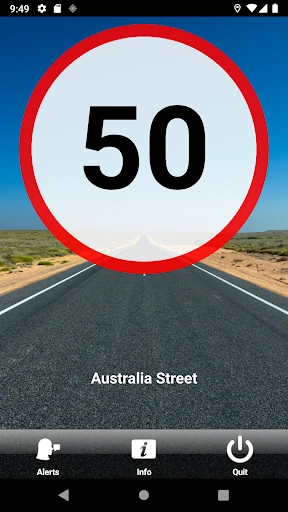
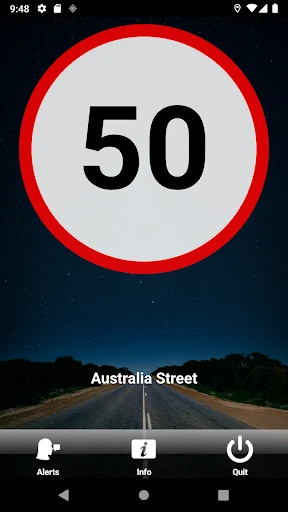
The user interface of Speed Adviser is rooted in functional minimalism, prioritizing glanceability over aesthetic flair. Given its category in Maps & Navigation, the design successfully minimizes cognitive load by using high-contrast speed icons and intuitive color-coding. The UX is streamlined to be "set and forget," which is essential for a driver's aid. However, the requirement for a physical phone mount and a constant power source reflects a design philosophy that prioritizes safety and hardware performance over mobile flexibility.
To evolve beyond its current state, Speed Adviser could benefit from an "Offline Mode" that caches speed data for areas with poor cellular reception. Additionally, expanding the database to include other Australian states would broaden its appeal significantly. Implementing a more aggressive battery optimization protocol or a "low power" visual mode could also help users who may not have immediate access to a car charger during short trips.
Speed Adviser is a must-have tool for fully licensed commuters and professional drivers operating within New South Wales. It is not a replacement for a navigation app, but rather a specialized safety layer that provides peace of mind against accidental speeding and school zone infringements. If you drive in NSW and value official, up-to-date speed data over bells and whistles, this app is a highly recommended addition to your driving toolkit.